
 DIRECTIONS.
 *Set the camera to M (Manual)
**Make 10+ images
TO DO:
1. Set the ISO appropriately.
2. Set the WB appropriately.
3. Open the APERTURE wide (small f-stop number) if you want an out of focus background.
2. Set the WB appropriately.
3. Open the APERTURE wide (small f-stop number) if you want an out of focus background.
4. Set the SHUTTER SPEED accordingly.
5. Develop in Photoshop and/or Lightroom (in color)
6. Post the final images to your site in a post titled 'AUTUMN LEAVES'
PHOTOGRAPHING.
How you arrange and compose your photos is open to your interpretation, but clever is better.
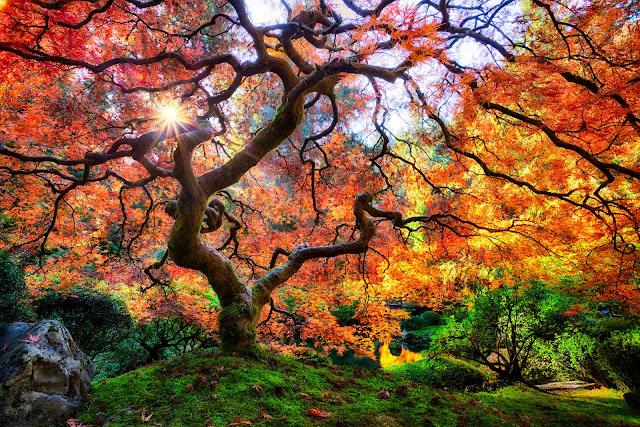
You may go about the project as a straight-forward landscape project. ...
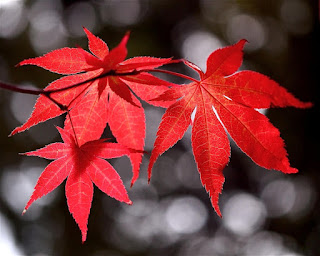
Or, you could collect leaf textures using macro settings.
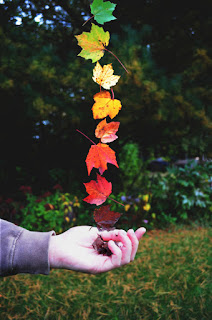
You can approach it like a still life project: arranging the leaves as objects.
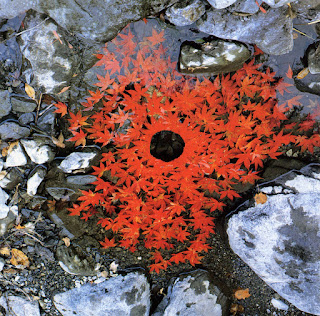
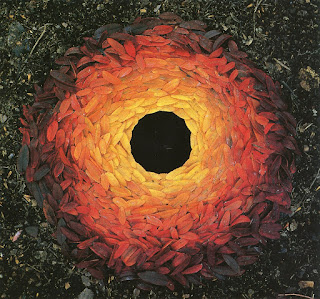
Or you could think conceptually, and approach it like the environmental artist Andy Goldsworthy (click here for Andy).
REMEMBER:


SITES FOR REFERENCE.
Oregon fall foliage site. CLICK HERE.
Place suggestions. CLICK HERE.
Tips for shooting fall foliage. CLICK HERE.
Extra Crunchy tips for photographing fall foliage. CLICK HERE.
REMEMBER:
*When the APERTURE changes, so must the SHUTTER SPEED and/or the ISO.


SITES FOR REFERENCE.
Oregon fall foliage site. CLICK HERE.
Place suggestions. CLICK HERE.
Tips for shooting fall foliage. CLICK HERE.
Extra Crunchy tips for photographing fall foliage. CLICK HERE.


